It’s literally just Instagram from 2012.
You post photos to your profile, and they show up in your friends’ feeds. That’s the whole app.
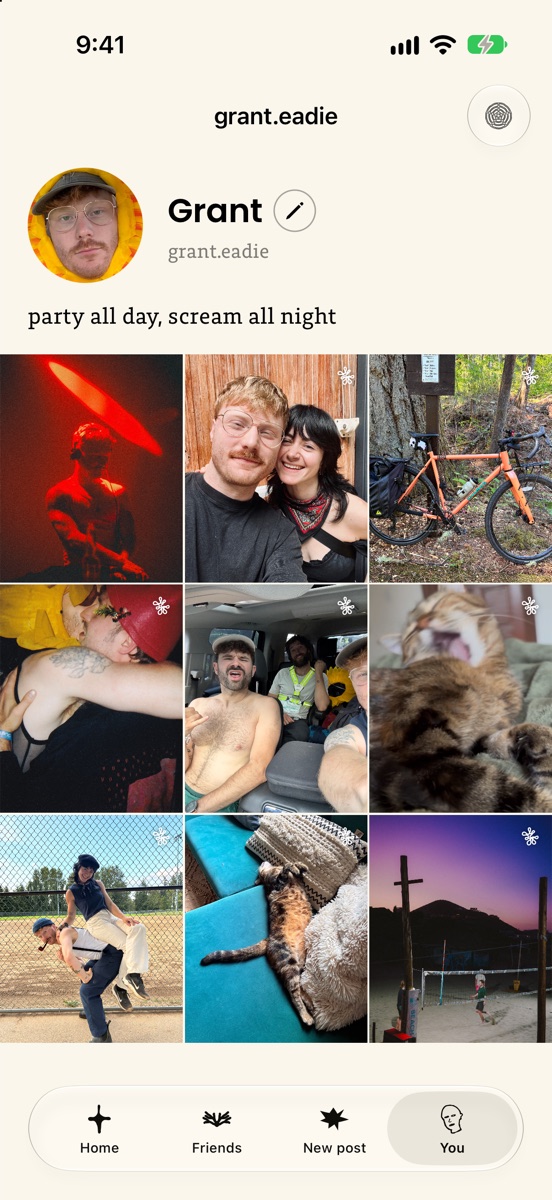
- No numbersNo friend counts, like counts or comment counts. Nothing is a score.
- No algorithmNewest posts first, and only from your friends.
- No storiesNo video either. Just photos with a caption.
- No discoveryNobody is suggested to you. You see your friends, and only they see you.
The idea is to defang social media: take out everything that turns it into a dopamine casino, and keep what it was for in the first place, a place to share your life with the people that you love.
Getting friendos on your iPhone*
It takes about three minutes! Don’t be scared! friendos is in beta, so it comes through TestFlight, Apple’s app for trying apps before they’re in the App Store.
* No Android at this time, sorry!
Reading this on a computer?Point your iPhone camera here to open the invite, then follow the steps.
-
Install TestFlight
It’s free, and it’s made by Apple. Already have it? Skip to the next step.
Get TestFlight -
Open friendos and make an account
An email and a password. Your account is private from the start: only friends you accept ever see your photos. Say yes to notifications if you’d like to know when someone adds you.
-
Add your friends
Go to the Friends tab, search for someone, and tap Add friend. Once they accept, you see each other’s photos.
Add me if you’d like: grant.eadie. Your own invite link is friendos.me/ followed by your username. Send it to anyone you want on there.